White label now available for agencies and resellers Learn more

Swft Connect is a digital business card platform for individual professionals and teams. You build your card in a web browser and share it by NFC tap, QR code, Apple or Google Wallet, or a link. The people you meet open it without an app. The Personal plan is free permanently, and team plans are one flat price.
 4.8/5 on G24.7/5 on Trustpilot
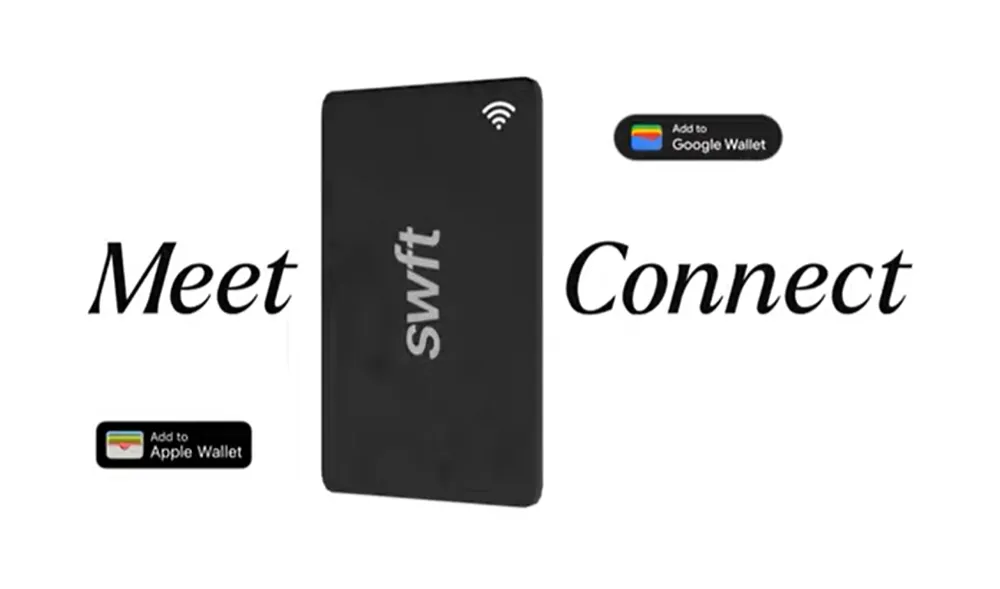
See how Swft Connect works, in 49 seconds
A digital business card is an online profile that replaces a paper business card. It holds your name, job title, contact details, links and anything else you want someone to see after meeting you. You share it from your phone, a physical NFC card or your email signature. It is also called a virtual business card, an electronic business card or a smart business card.
It comes in three forms, and most people use more than one

The simplest form. Anyone with a phone camera can scan it.

Your card sits in Apple Wallet or Google Wallet, ready to show in a second.

A physical card with a chip inside. Tap it on a phone and your profile opens.
A card only does its job if the other person saves it. Here is what happens for you, and for them.
Sign up at swft.id, add your details, photo and links, and choose a layout. There is no app to install. Add it to your home screen and it opens in one tap.
Tap your NFC card on their phone, show your QR code, open your wallet pass or send your link. Every method opens the same profile.
They can save your details to their contacts, call or email you, book a meeting or open your links. No account, and no app.
A short form on your profile lets them share their details in the same moment. The contact lands in your Swft Connect contacts, and on paid plans it syncs to your CRM. Handed a paper card? Scan it with AI card scanning.

Consultants, founders, agents, advisers and anyone who meets people for work.
Free Personal plan
Pro adds
Pages for specific roles: estate agents, finance and professional services, events and conferences.
The Business plan gives every employee a consistent card, and gives you one dashboard to run them all.
Business plan
Setup is same day. Read how Deloitte and Simpson Strong-Tie rolled it out.
The leads they captured stay with your company, because contacts belong to the business account. Their NFC card can be re-pointed to whoever replaces them, with no reprinting.
Selling digital business cards to your own clients under your brand? That’s our white label program.
Every method opens the same profile, so you can use whichever suits the moment.
NFC card
Tap the card on their phone and your profile opens.
QR code
They scan it with their phone camera, from your screen or anything printed.
Apple and Google Wallet
Your card lives in your phone’s wallet, ready to show.
Email signature
Your card sits in every email you send.
Link
Paste it into social bios, LinkedIn or messages.
Home-screen shortcut
Your card opens from your phone’s home screen in one tap.
Beyond your contact details: galleries, video, reviews, a booking calendar from Calendly, Cal.com or any tool with an embed link, and your own content blocks. On Pro and above, group sections into up to six tabs. Available in 10+ languages.
Here is what it costs, including for teams.
Free
Permanently. Not a trial.
One profile, wallet sharing, email-signature card, unlimited contact collection, 30-day analytics
£6.99€7.99$9.99 /mo
For one person who wants their own brand, a custom domain, CRM sync and full analytics
From £49€59$69 /mo
Up to 10 people, one flat price for the team
For teams that want admin control, templates and company-wide leads
Paid plans check out securely with Chargebee. Pay with the email you sign in with, and we’ll upgrade that account.
One price for the whole team, never per user. A team of 50 pays £119€139$169 a month in total, about £2.38€2.78$3.38 per person. Annual billing saves 20%.
See the full plan comparison on the pricing page.
A physical card with a chip and a printed QR code. Tap it on a phone and your digital profile opens. It works on most modern smartphones, and the QR code covers any phone that can’t read NFC.
These questions decide whether a platform fits. Our answers sit next to each one, so you can hold any other provider to the same list.
| Question to ask | Why it matters | Swft Connect |
|---|---|---|
| Does anyone need to download an app? | An install is friction at the exact moment you're sharing | No. It runs in the browser for you and for them |
| Is team pricing per person, or flat? | Per-person pricing rises with every hire | Flat price per team-size band, never per user |
| Do their details come back to you? | A card that only sends your details loses the lead | Yes. Share-back form, unlimited contacts on every plan |
| Does it sync with your CRM? | Contacts that stay on a phone never get followed up | Salesforce, HubSpot, GoHighLevel, Dynamics 365, Zapier and webhooks, on Pro and Business |
| Can the link use your own domain? | Your domain on the link keeps attention on your brand | Yes, on Pro and Business |
| What happens when someone leaves? | Staff turnover shouldn't cost you contacts or cards | Leads stay with the company, and cards are re-pointed |
| Where is your data stored? | It decides which privacy law applies | UK, on AWS in London, under UK GDPR |
| Is the free plan a trial? | A trial ends. A free plan doesn't | A permanent free plan |
You want an App Store app
Swft Connect has no native app, by design. Wallet passes and a home-screen shortcut cover most of what an app would do.
The people you meet expect paper
Keep a small print run with your QR code on it, and scan the paper cards you receive into your contacts.
Your data must be hosted in the EU or US
Data is stored in the UK today. EU and US regions are on the roadmap, not live.
You need a public API
There isn’t one yet. Zapier and webhooks cover custom workflows.
Your data is stored on AWS in London, encrypted with AES-256 at rest and TLS 1.3 in transit. Swft Connect operates under UK GDPR, is registered with the ICO (ZB406804), and is independently audited and penetration tested.
We don’t sell your data, and there are no advertising trackers on it. Your business owns the contacts it captures, and a Data Processing Agreement is available on request.


Tyler Eastridge

Doug L.
Co-owner, web video production

Jakub J.
WordPress and marketing specialist
Oliver
ThriveHub.app
“One clean platform that doesn’t look like Linktree — it looks my own, bespoke, clean.”
Dmitry

Frank D.
Freelance writer
Can’t find your answer? Contact the team.
For most people who meet others for work, yes. A digital card never runs out, never goes out of date, and can bring the other person’s details back to you, which paper can’t. Keep a few printed cards with your QR code on them for anyone who prefers paper.
Sign up at swft.id, add your name, contact details, photo and links, then share it by QR code, link, wallet pass or NFC card. It takes a few minutes in your browser, with no app to install.
Yes. The Swft Connect Personal plan is free permanently, not a trial. It includes one profile, wallet sharing, an email-signature card and unlimited contact collection.
Personal is free. Pro is £6.99€7.99$9.99 a month, or £5.59€6.39$7.99 a month billed annually. Business is a flat price per team size, from £49€59$69 a month for up to 10 people. A physical NFC card is optional and costs from £50€60$65, once.
Yes. Show your QR code on your screen, open your card from Apple Wallet or Google Wallet, or send your link in a message. You don’t need a physical card at all.
No. Your card opens in their phone’s browser, and they can save your details to their contacts from there. Nobody needs an app or an account, including you.
Yes. NFC cards work on most modern smartphones, and every card includes a QR code as a backup that any phone camera can read. Wallet passes work in Apple Wallet and Google Wallet.
Yes, on every plan, including the free one. Pro and above add branded wallet passes.
No. An NFC card is an optional physical card that opens your profile with a tap. Many people share by QR code, wallet pass and link alone.
Yes. Change your details once and every card you’ve already shared shows the update. NFC cards and QR codes never need reprinting.
It depends on who needs it. For one person, look for a free plan that doesn’t expire and no app to install. For a team, look for flat pricing, CRM sync and admin control. The checklist on this page lists the questions worth asking any provider.
On the Business plan, the leads they captured stay with the company. Their card can be re-pointed to a colleague, with no reprinting.
Build it in your browser, share it today, and upgrade only when you need to.